 Quick browser notes
NoteStackr
Quick notes right in your Chrome browser with boards, trash, and backup.
Open the Chrome popup, write the note, and return to the page you were already using.
Separate work, study, shopping, ideas, and personal notes without switching to a heavy app.
Trash recovery and backups help prevent a deleted note from becoming a permanent loss.
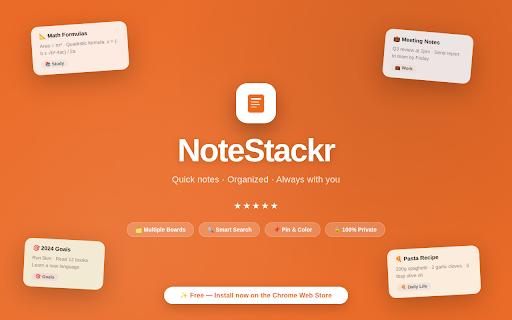
Built for one clear browser job.
NoteStackr keeps thoughts, tasks, ideas, and quick notes inside your Chrome toolbar. It works without sign-up or sync, so you can open the popup, write, organize notes into boards, and get back to work.
Best for: Students, professionals, and anyone who wants a fast place to capture notes without switching apps.
The problem it solves
Small notes often get lost between documents, chat drafts, sticky notes, and task apps before they become useful.
Create multiple boards for work, study, personal notes, shopping, and ideas
Pin, color-code, edit, move, and search notes across boards
Recover deleted notes from Trash before removing them permanently
Export and import JSON backups while keeping data local on your device
From install to useful in minutes.
The workflow is intentionally small: install the extension, set up the thing you want to save or control, then use it directly inside Chrome.
Open NoteStackr from the Chrome toolbar when an idea, task, or reminder appears.
Save notes into boards, then pin, color, search, or move them as your work changes.
Use Trash and JSON backup tools when you need to recover or move your notes.
How people use NoteStackr
Start with the core workflow
Install from the Chrome Web Store, try the everyday workflow, and upgrade only when you need heavier use.
- Capture quick notes from the Chrome toolbar
- Organize notes into boards for common workflows
- Use local export and import for manual backups
Unlock NoteStackr Pro
Built for heavier use, larger libraries, better organization, and easy backup.
- More boards for larger workspaces
- Advanced backup tools
- Board organization controls
- Priority updates
Questions before you install.
What is NoteStackr best at?
Students, professionals, and anyone who wants a fast place to capture notes without switching apps.
Does NoteStackr upload my browsing data?
No. NoteStackr keeps your extension data in your browser and does not send your snippets, notes, rules, schedules, or tab groups to an Odexly server.
Do I need an account to start?
No. You can install the extension from the Chrome Web Store and use the core workflow without creating an Odexly account.
What can I use for free?
- Capture quick notes from the Chrome toolbar
- Organize notes into boards for common workflows
- Use local export and import for manual backups
What does NoteStackr Pro add?
- More boards for larger workspaces
- Advanced backup tools
- Board organization controls
- Priority updates
Do I need to buy every Odexly product?
No. Each extension has its own Pro path, so you can upgrade only the product that fits your workflow.