


01
Extension inventory
Review all installed extensions in one structured view, including name, version, status, identifiers, and useful installation metadata.
See what your installed Chrome extensions can access.
Extendex gives a clear dashboard for reviewing installed Chrome extensions, declared permissions, website access, broad browser capabilities, status, versions, and security-relevant signals.
No forced account · Local-first where possible · Chrome Web Store listing status shown clearly
 Chrome extensionExtendex - Permission & Access Checker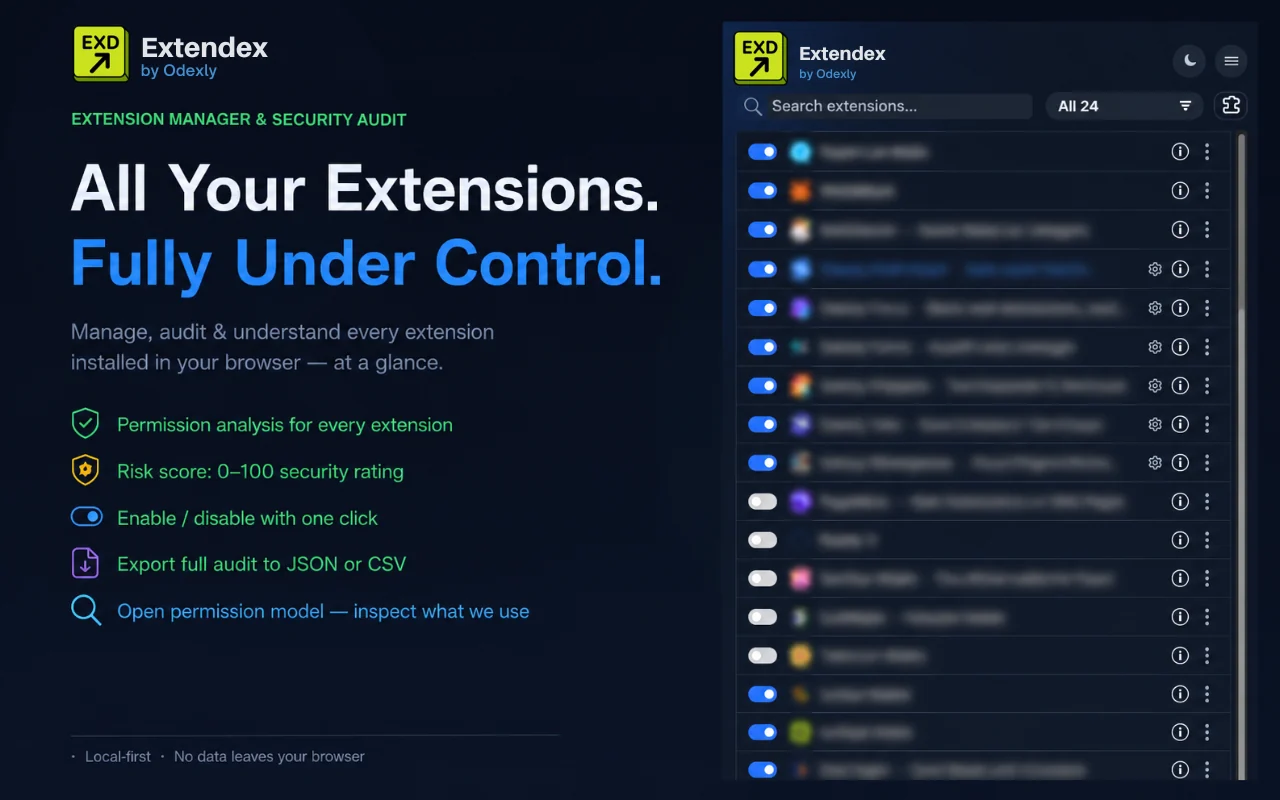
Best for: Chrome users, developers, IT-minded teams, and anyone who wants to understand installed extension permissions.
Review all installed extensions in one structured view, including name, version, status, identifiers, and useful installation metadata.
Understand what each extension is allowed to do through readable categories such as website access, tabs, storage, background execution, and scripting capabilities.
Surface extensions with broad or sensitive browser capabilities so you can decide what should stay enabled, be disabled, or be removed.
Get a broader view of permission distribution, inventory summaries, risk indicators, and capability overviews.
The layout is designed for quick reading and fast navigation without turning extension management into a complicated dashboard.
Use Extendex as a regular checkup tool when your browser has accumulated many productivity tools, AI assistants, shopping add-ons, or developer utilities.
Browse actual extension screens and key flows before installing from the Chrome Web Store.
Extendex: screenshot 1 of 5. Extension inventory dashboard
There is no paid plan advertised for this utility. The current product is presented as a free tool.
How Odexly approaches ProAnswers focus on what is currently stated for this product, without adding unsupported review or download claims.
No. The core workflow is designed to work from the Chrome extension without creating an Odexly account.
Suggested by related category, workflow group, availability, and visual tone.


