


01
Fast UTM creation
Create tracking URLs with utm_source, utm_medium, utm_campaign, utm_content, and utm_term without rebuilding URLs by hand.
Build clean, consistent UTM links faster.
Odexly UTM Builder helps generate, clean, copy, validate, and organize campaign links for newsletters, ads, social posts, content distribution, and internal tracking workflows.
No forced account · Local-first where possible · Chrome Web Store listing status shown clearly
 Chrome extensionOdexly UTM Builder – Campaign URL Manager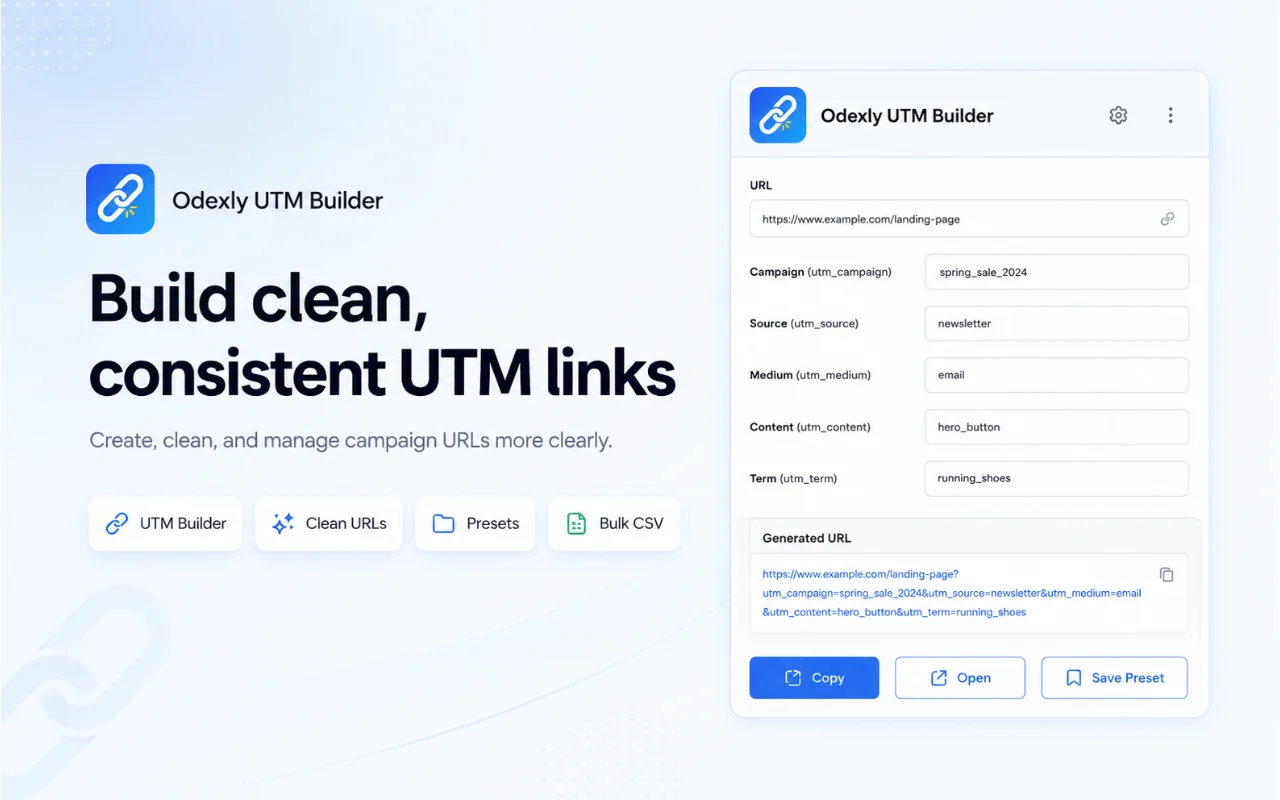
Best for: Marketers, creators, newsletter owners, agencies, founders, and freelancers managing campaign links.
Create tracking URLs with utm_source, utm_medium, utm_campaign, utm_content, and utm_term without rebuilding URLs by hand.
Remove unwanted UTM parameters or choose how existing tracking parameters should be handled when generating a new link.
Copy a standard URL, Markdown link, HTML link, query string, or clean URL depending on where the link will be used.
Save reusable UTM values and campaign naming patterns such as product-source-month or product-medium-date for more consistent campaign work.
Generate many campaign URLs at once from CSV data when preparing landing pages, channels, ad variations, or social posts.
Inspect where a URL leads when possible, while acknowledging that some services may limit redirect visibility.
Browse actual extension screens and key flows before installing from the Chrome Web Store.
Odexly UTM Builder: screenshot 1 of 5. Build and clean UTM links
Answers focus on what is currently stated for this product, without adding unsupported review or download claims.
No. The core workflow is designed to work from the Chrome extension without creating an Odexly account.
Suggested by related category, workflow group, availability, and visual tone.


