


01
Sensitive data detection
PasteGuard looks for patterns commonly associated with credentials, secrets, verification codes, financial numbers, crypto-related data, phone numbers, and personal identifiers.
A smart privacy shield for sensitive text.
PasteGuard helps catch sensitive text before it is pasted, typed, or submitted into browser fields. It is built for the moments when API keys, tokens, OTP codes, wallet data, banking patterns, phone numbers, or private notes may be shared by accident.
No forced account · Local-first where possible · Chrome Web Store listing status shown clearly
 Chrome extensionPasteGuard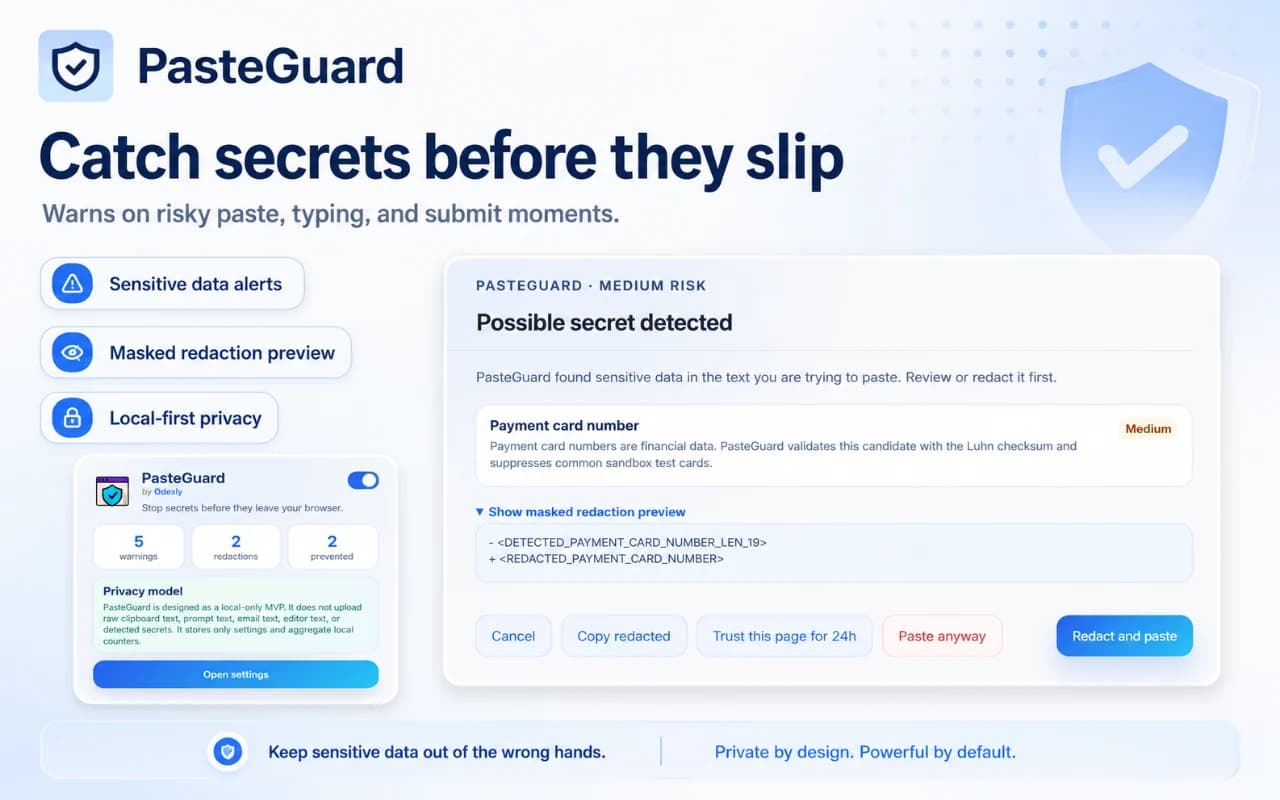
Best for: Developers, support teams, founders, AI users, freelancers, students, and everyday users who handle sensitive text online.
PasteGuard looks for patterns commonly associated with credentials, secrets, verification codes, financial numbers, crypto-related data, phone numbers, and personal identifiers.
The product is designed to surface a warning before sensitive text leaves the user’s control, especially during copy-paste, typing, and form-style workflows.
Developers can catch environment secrets and tokens, while non-technical users can notice phone numbers, OTP codes, payment-related patterns, and private personal text.
Alerts use clear labels and short explanations rather than vague alarms, making it easier to decide whether to continue, edit, or remove sensitive content.
The UI is designed to stay lightweight, distraction-free, and easy to scan, so it supports the workflow instead of interrupting every normal action.
PasteGuard helps build a habit of checking high-risk text before it is shared into public tools, third-party websites, chats, forms, or documentation.
Browse actual extension screens and key flows before installing from the Chrome Web Store.
PasteGuard: screenshot 1 of 5. Sensitive text warning overview
Chrome Web Store review is pending. A public install link should be added only after the listing is live.
Answers focus on what is currently stated for this product, without adding unsupported review or download claims.
No. The core workflow is designed to work from the Chrome extension without creating an Odexly account.
Suggested by related category, workflow group, availability, and visual tone.


