


01
Save tab groups
Create named groups from your current tabs and keep related work together instead of leaving everything open all the time.
Save tabs into task groups and reopen them in one click.
Odexly Tabs helps save related browser tabs into named task groups, add notes, search saved groups, reopen sessions in one click, and keep browser work organized without an account.
No forced account · Local-first where possible · Chrome Web Store listing status shown clearly
 Chrome extensionOdexly Tabs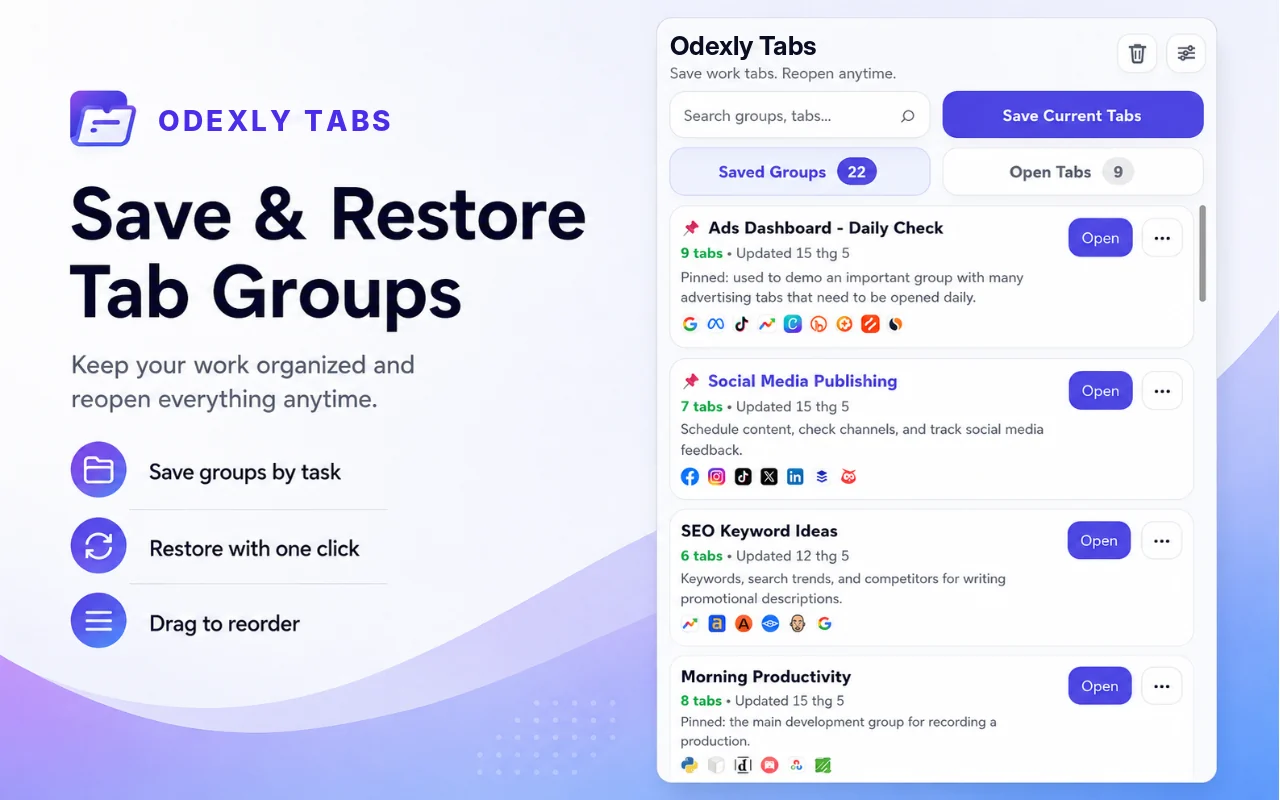
Best for: People working with many browser tabs across ads, SEO, coding, content planning, research, and daily task workflows.
Create named groups from your current tabs and keep related work together instead of leaving everything open all the time.
Reopen saved tab groups with one click so you can continue a task without rebuilding your browser session manually.
Add short notes to saved groups so you remember why the session was saved, what task it belongs to, or what to do next.
Search saved groups and tabs, expand groups, remove individual tabs, add URLs, or add the current tab to an existing group.
Reorder groups, move deleted groups to Trash first, restore them when needed, or permanently remove old sessions.
Choose how groups open, configure inactive-tab cleanup, and use export/import when you need a manual backup.
Browse actual extension screens and key flows before installing from the Chrome Web Store.
Odexly Tabs: screenshot 1 of 5. Save and restore task groups
Answers focus on what is currently stated for this product, without adding unsupported review or download claims.
No. The core workflow is designed to work from the Chrome extension without creating an Odexly account.
Suggested by related category, workflow group, availability, and visual tone.


