


01
Proxy list management
Save multiple proxy profiles in one dashboard, add notes, and keep technical workflows organized.
Save, switch, check, and organize HTTP/HTTPS proxies.
Proxily helps save proxy lists, import proxies in bulk, check proxy status, search and organize profiles, switch between proxies, add notes, control password visibility, and manage proxy behavior settings.
No forced account · Local-first where possible · Chrome Web Store listing status shown clearly
 Chrome extensionProxily – Proxy Switcher & Checker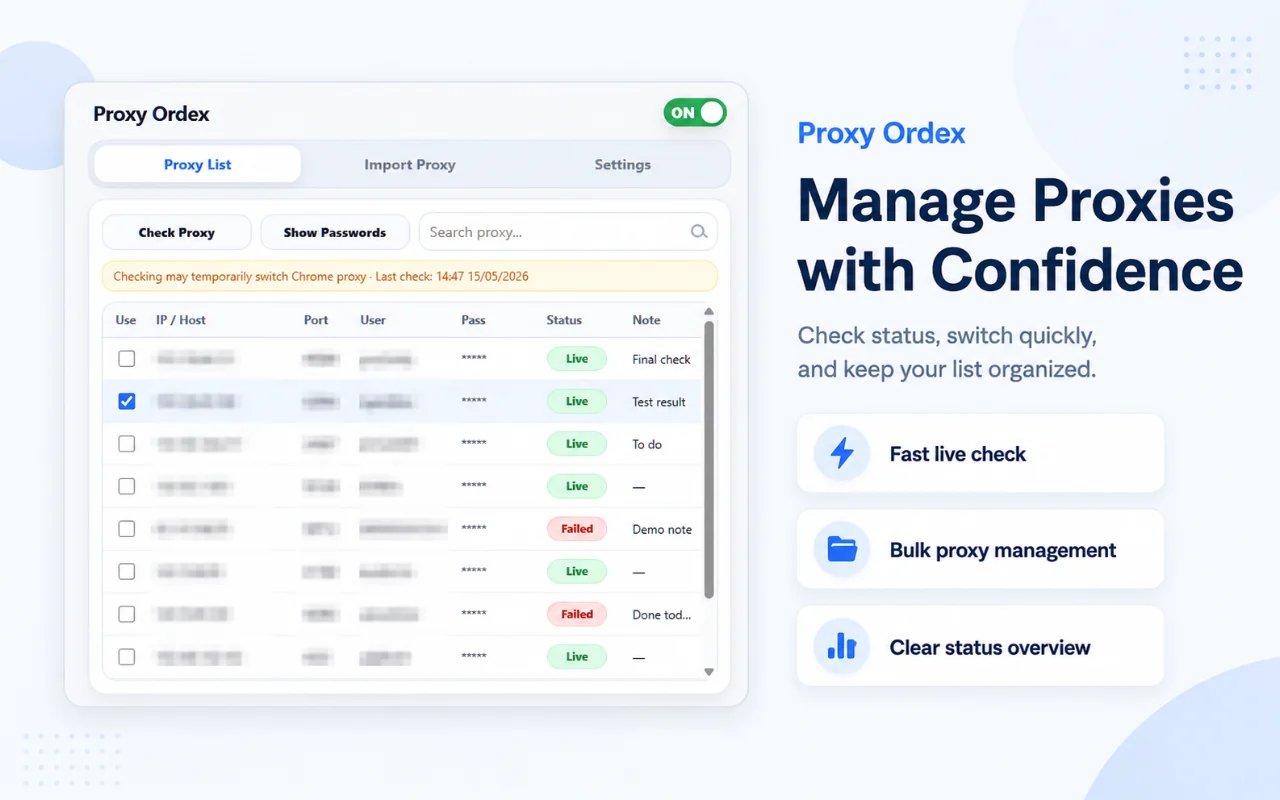
Best for: Developers, QA testers, technical operators, and users who manage HTTP/HTTPS proxy profiles for legitimate testing and workflow separation.
Save multiple proxy profiles in one dashboard, add notes, and keep technical workflows organized.
Import proxies quickly with a simple line-based format: ip:port:user:pass#note.
Check proxy availability and review clear status results directly in the proxy list.
Search profiles, organize notes, and choose when proxy passwords should be hidden or visible.
Choose whether switching should reload tabs, clear cookies, or clear cache depending on the workflow.
Add bypass rules for localhost, local addresses, or specific domains that should not use the active proxy.
Browse actual extension screens and key flows before installing from the Chrome Web Store.
Proxily: screenshot 1 of 5. Proxy management dashboard
Proxy status checking may temporarily switch the active proxy during the check process.
Answers focus on what is currently stated for this product, without adding unsupported review or download claims.
No. The core workflow is designed to work from the Chrome extension without creating an Odexly account.
Suggested by related category, workflow group, availability, and visual tone.


