


01
Visual project workspaces
Create a workspace for each project, client, idea, research topic, study session, workflow, or personal plan.
A visual project cockpit for browser-based work.
Odexly Workspaces keeps tabs, notes, tasks, deadlines, daily logs, sketches, and mind maps together inside project workspaces so browser work is easier to organize, search, and resume.
No forced account · Local-first where possible · Chrome Web Store listing status shown clearly
 Chrome extensionOdexly Workspaces – Visual Project Workspace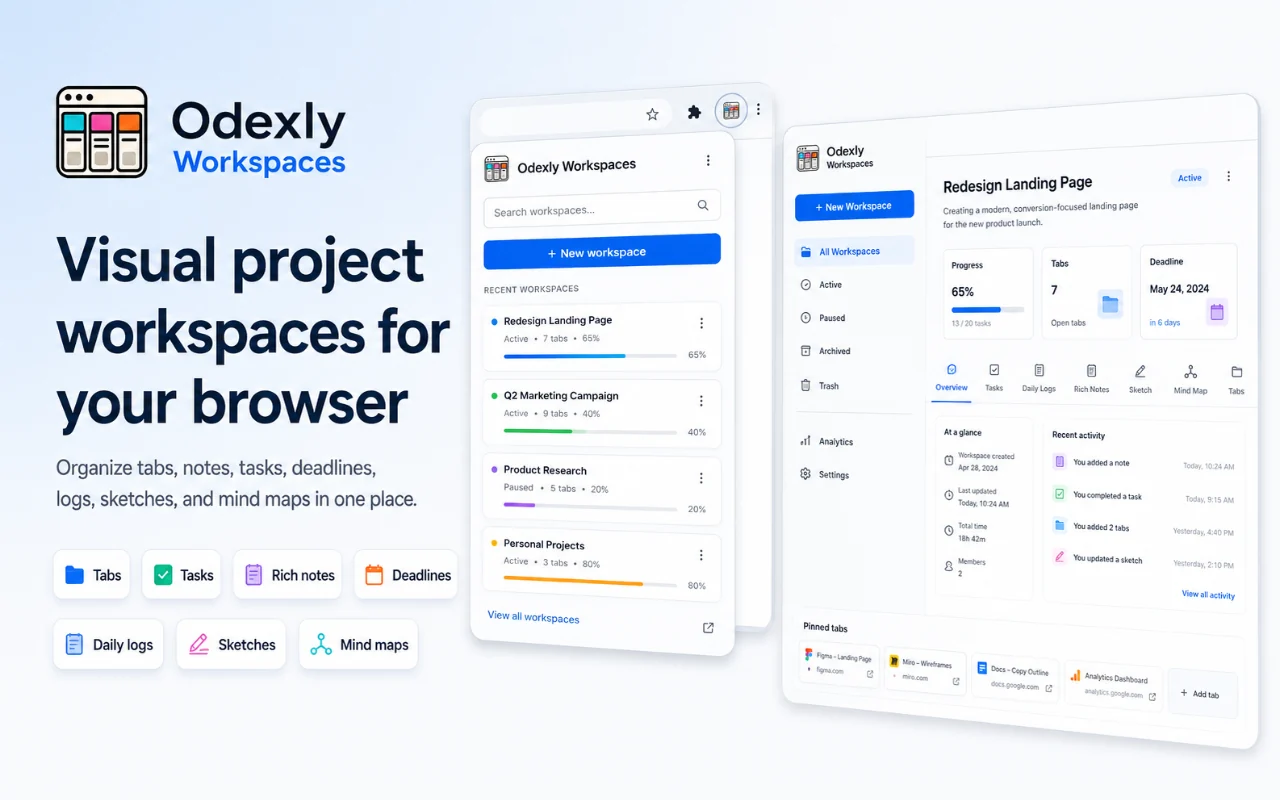
Best for: Developers, researchers, students, project leads, marketers, freelancers, and people who work with many project tabs.
Create a workspace for each project, client, idea, research topic, study session, workflow, or personal plan.
Save browser tabs into the right workspace and return later with notes, tags, status, priority, and deadlines attached.
Track work in Todo, Doing, and Done columns so each workspace has a simple progress view without needing a separate project app.
Write formatted notes and short daily updates to preserve decisions, research history, study notes, or project activity over time.
Use lightweight visual areas for rough wireframes, flows, diagrams, idea maps, and conceptual planning.
Review workspace activity, search across notes, tasks, logs, tags, tabs, URLs, and domains, then export or import JSON backups when needed.
Browse actual extension screens and key flows before installing from the Chrome Web Store.
Odexly Workspaces: screenshot 1 of 5. Visual project workspace dashboard
Answers focus on what is currently stated for this product, without adding unsupported review or download claims.
No. The core workflow is designed to work from the Chrome extension without creating an Odexly account.
Suggested by related category, workflow group, availability, and visual tone.


