


01
Pick fields directly
Select a form field on the current page, save the value you want, and store it as a website-specific rule.
Website-specific autofill rules for repetitive fields.
Odexly Forms lets you pick fields on a webpage, save website-specific autofill rules, fill matching fields manually, optionally auto-fill after page load, and manage safer matching controls locally.
No forced account · Local-first where possible · Chrome Web Store listing status shown clearly
 Chrome extensionOdexly Forms - Autofill rules manager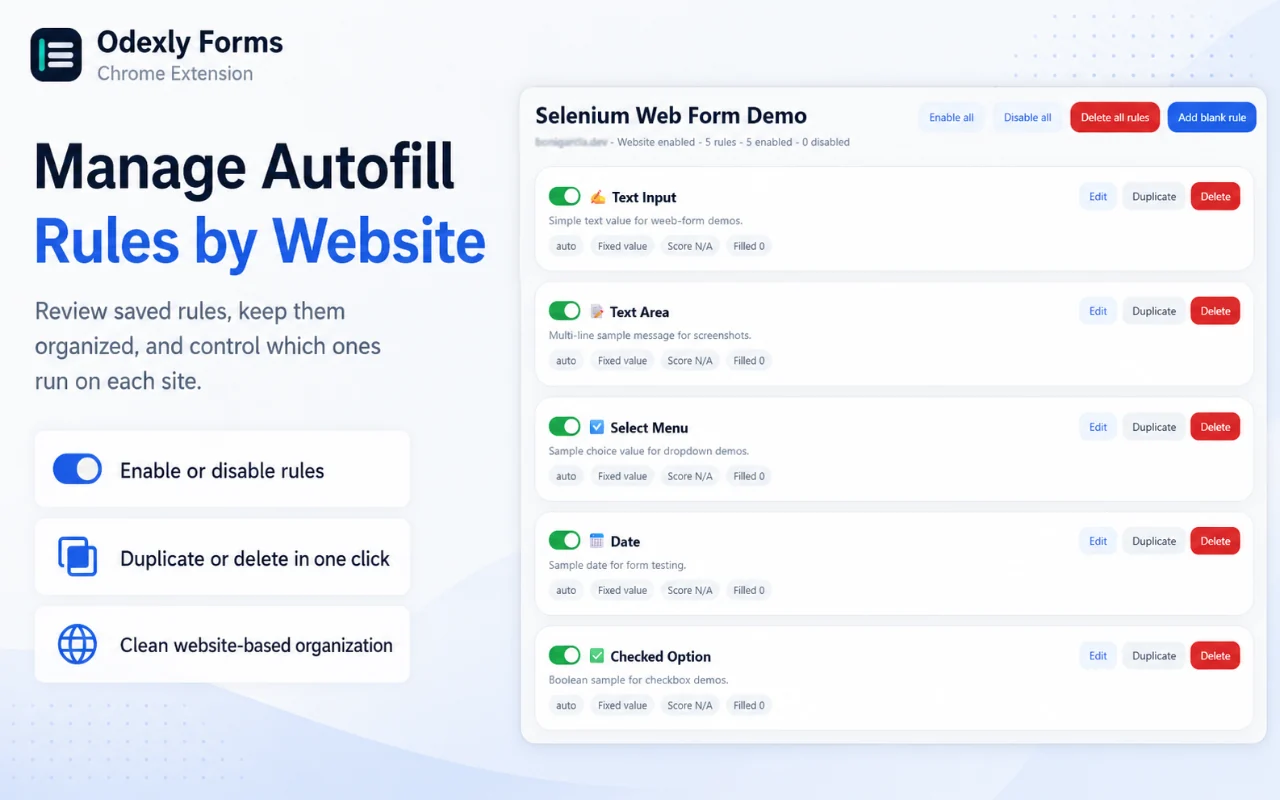
Best for: Admins, QA testers, support teams, form testers, and users who enter the same website fields repeatedly.
Select a form field on the current page, save the value you want, and store it as a website-specific rule.
Rules are organized by site so they can be reviewed, edited, enabled, disabled, duplicated, or removed clearly.
Trigger filling only when you choose from the popup or a keyboard shortcut, useful for controlled workflows.
Enable auto-fill after page load with configurable delay and match thresholds when a repetitive workflow benefits from automation.
Odexly Forms scores field matches before filling and lets you adjust how strict or flexible matching should be.
Safe Mode helps avoid sensitive fields, while JSON import/export lets users back up or move local rules.
Browse actual extension screens and key flows before installing from the Chrome Web Store.
Odexly Forms: screenshot 1 of 5. Create rules from a webpage
Answers focus on what is currently stated for this product, without adding unsupported review or download claims.
No. The core workflow is designed to work from the Chrome extension without creating an Odexly account.
Suggested by related category, workflow group, availability, and visual tone.


