


01
Manual focus sessions
Start a focus session anytime by entering the duration you want for deep work, study, reading, or short productivity sprints.
Block distractions and protect focus time.
Odexly Focus helps you create manual focus sessions, automatic blocking schedules, custom blocked-site lists, clean block pages, and local focus settings for more intentional browsing.
No forced account · Local-first where possible · Chrome Web Store listing status shown clearly
 Chrome extensionOdexly Focus - Block web distractions, study & work better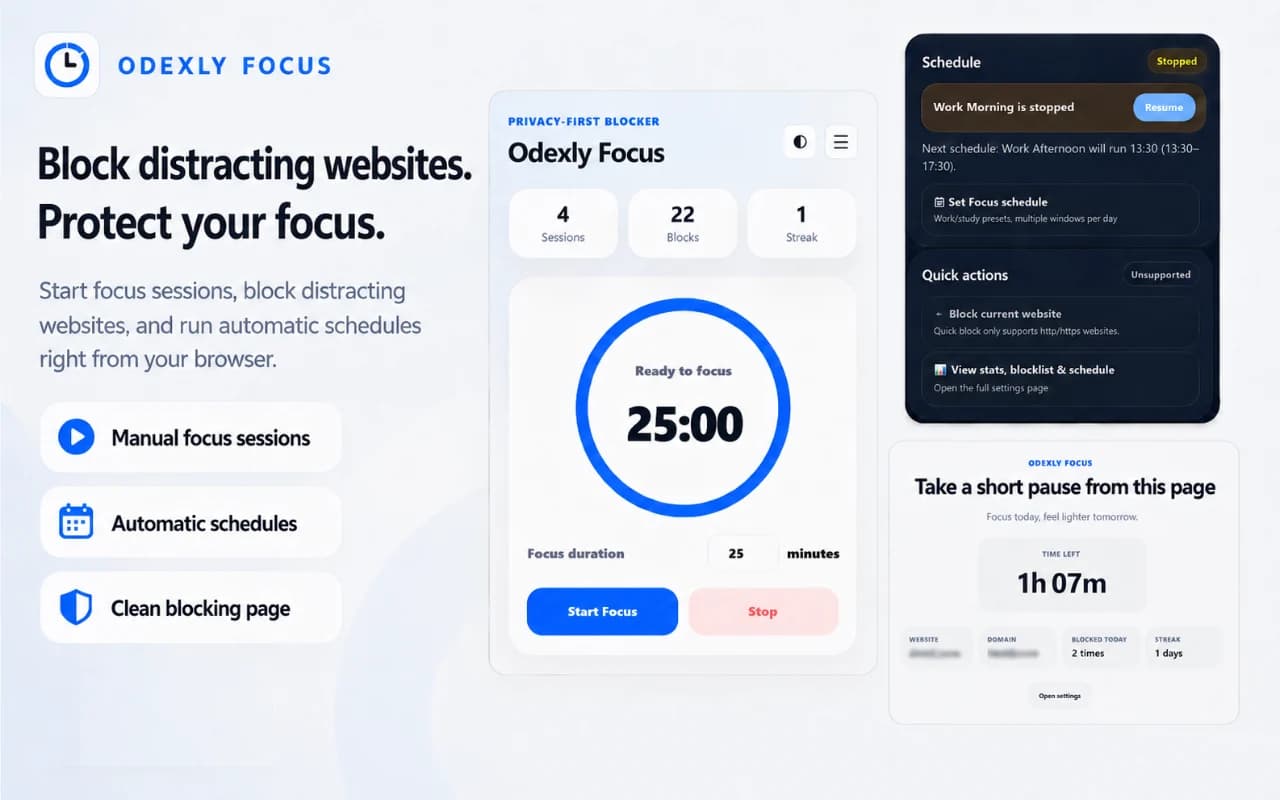
Best for: Students, developers, makers, remote workers, readers, and anyone building healthier browsing habits.
Start a focus session anytime by entering the duration you want for deep work, study, reading, or short productivity sprints.
Create recurring blocking periods for work hours, study blocks, morning routines, evening wind-down, or other repeated focus windows.
Add distracting websites and replace them with a clean blocking page during active focus time.
Pause a running schedule when needed and resume it if it was stopped by mistake.
After stopping a schedule, see what comes next and when it will start so behavior is predictable.
Open the popup, start a session, manage schedules, or resume focus without a complicated dashboard.
Browse actual extension screens and key flows before installing from the Chrome Web Store.
Odexly Focus: screenshot 1 of 5. Manual focus sessions
Answers focus on what is currently stated for this product, without adding unsupported review or download claims.
No. The core workflow is designed to work from the Chrome extension without creating an Odexly account.
Suggested by related category, workflow group, availability, and visual tone.


